DOOM OS Quickstart
Every DOOM OS control on one page. Anything not listed works as it always does on the SP-404MK2.
Open DOOM OS
HoldREMAIN+pressSUB PAD
Works from any screen of the box. EXIT closes it.
Your first pattern
- Hold REMAIN and press SUB PAD. DOOM OS opens.
- Hold PATTERN SELECT and press an empty pattern pad.
- Hold SUB PAD, tap pads to listen, and let go on the sound you want. That is your first track.
- Tap pads to set steps. Press PATTERN SELECT to play.
- Shape the notes with the CTRL knobs.
- Hold SUB PAD again for the next sound.
The CTRL knobs
CTRL 1 CTRL 2 CTRL 3 edit notes. Turn one and every note on the selected track takes its value. Hold a step's pad while you turn and only that note changes.
Turn VALUE to pick the track, then turn a knob.
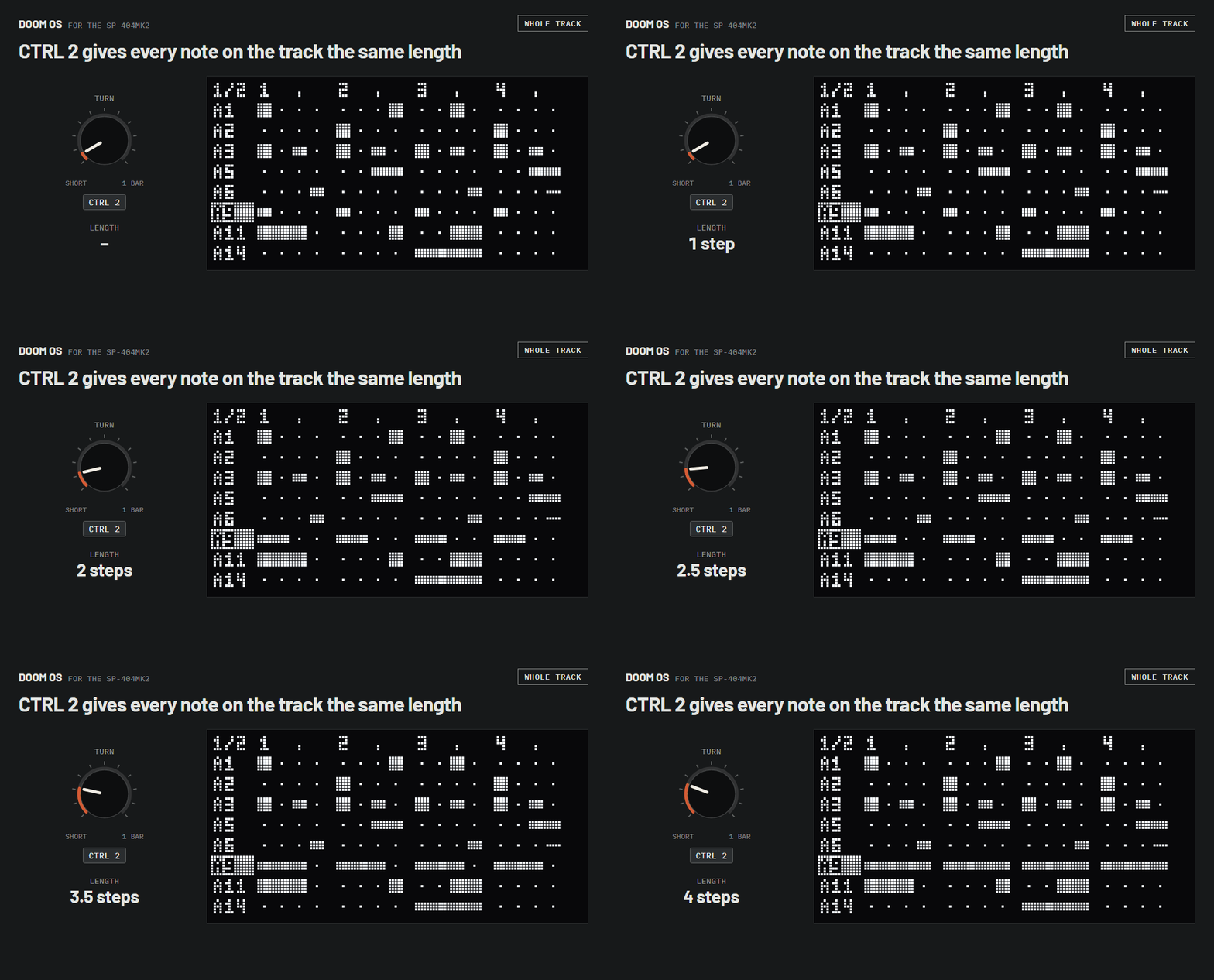
| CTRL 1 | Same velocity for every note |
|---|---|
| CTRL 2 | Same length for every note |
| CTRL 3 | Same nudge for every notethe middle puts every note exactly on its step |
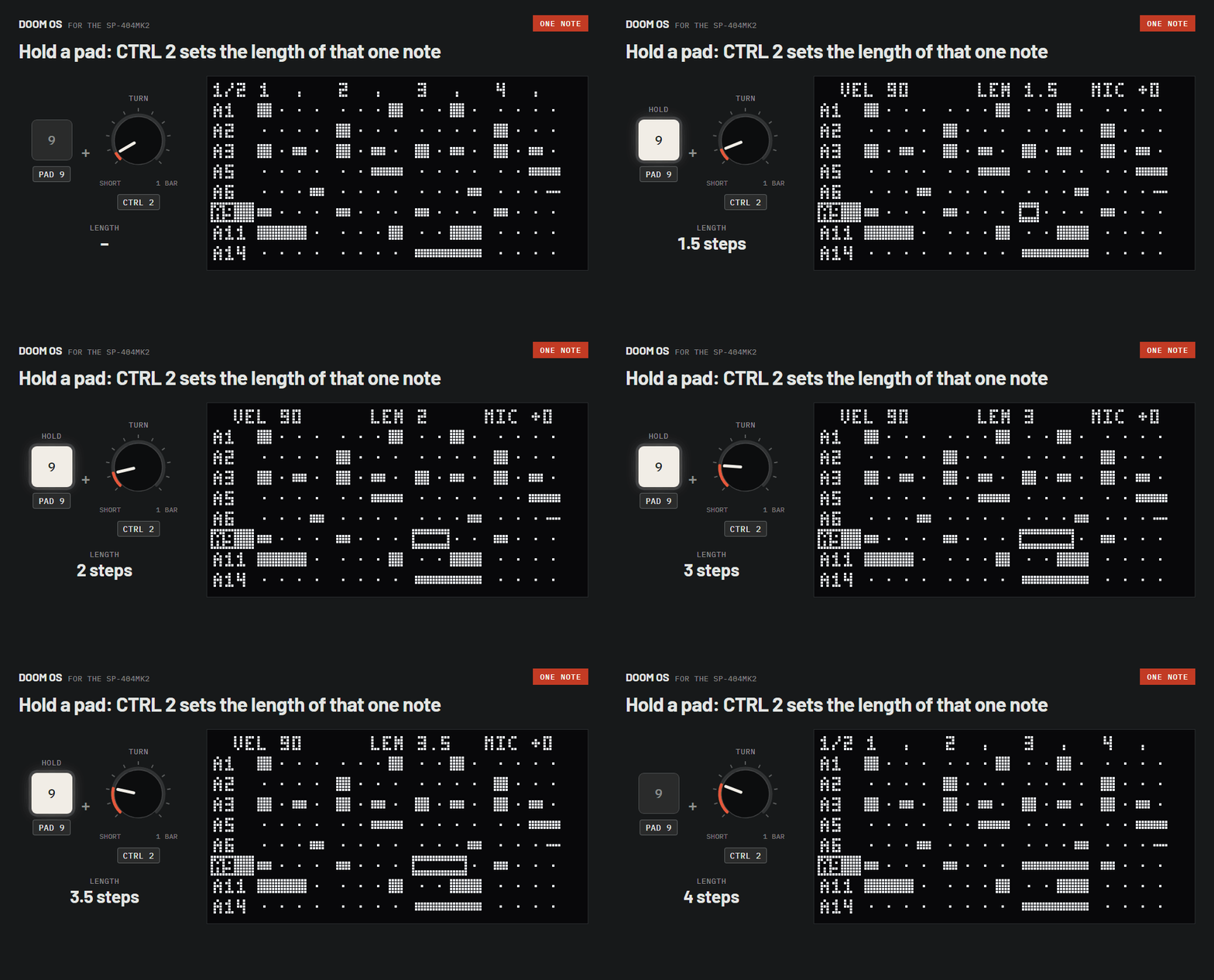
Hold the note's pad and turn a knob.
| CTRL 1 | Velocity |
|---|---|
| CTRL 2 | Lengthan eighth of a step up to a whole bar |
| CTRL 3 | Nudgeearly or late; the middle is on the grid |
| SHIFT+CTRL 1 | Pitchup to 12 semitones up or down |
Every note gets the same value
With no pad held, the knob sets every note on the track to the same value. For example:
- CTRL 1All hits of a hi-hat at the same velocity.
- CTRL 2All stabs the same length, short or long.
- CTRL 3All notes the same distance off the grid. In the middle, every note is exactly on its step.
While you hold a pad the top line shows that note: VEL velocity, LEN length in steps, MIC nudge.
Hands free: hold the pad and press REMAIN. The note stays selected after you let go; press REMAIN again to release it.
Went too far? SHIFT+PATTERN SELECT undoes the whole turn.
Views
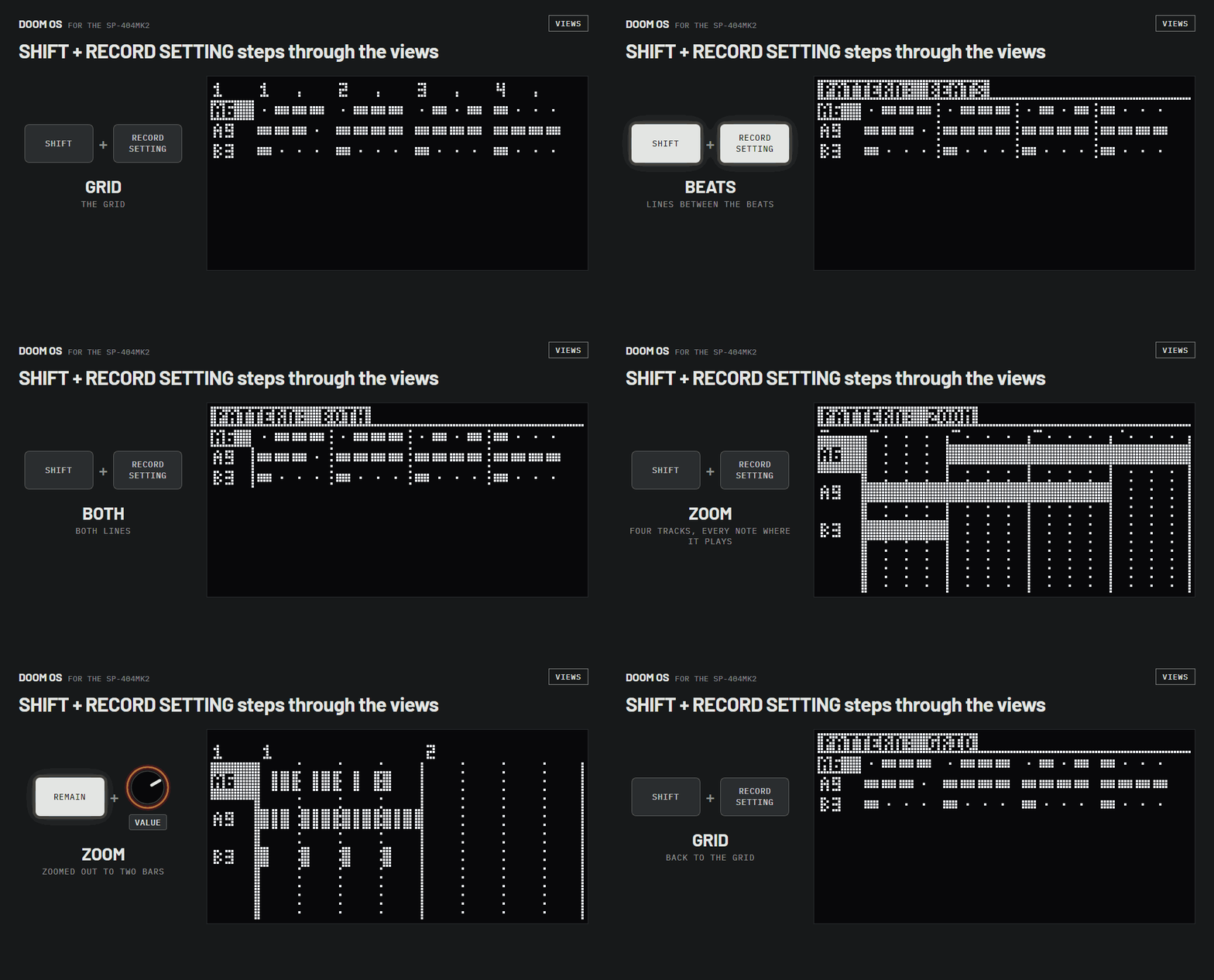
SHIFT+RECORD SETTING steps through five views of the grid. In the zoomed view, REMAIN+turn VALUE zooms out. SHIFT+turn VALUE goes to the next bar, or the next beat in the zoomed view. While a pattern plays the grid follows it from bar to bar; SHIFT+HOLD keeps it on the bar you picked, and again follows.
Piano roll
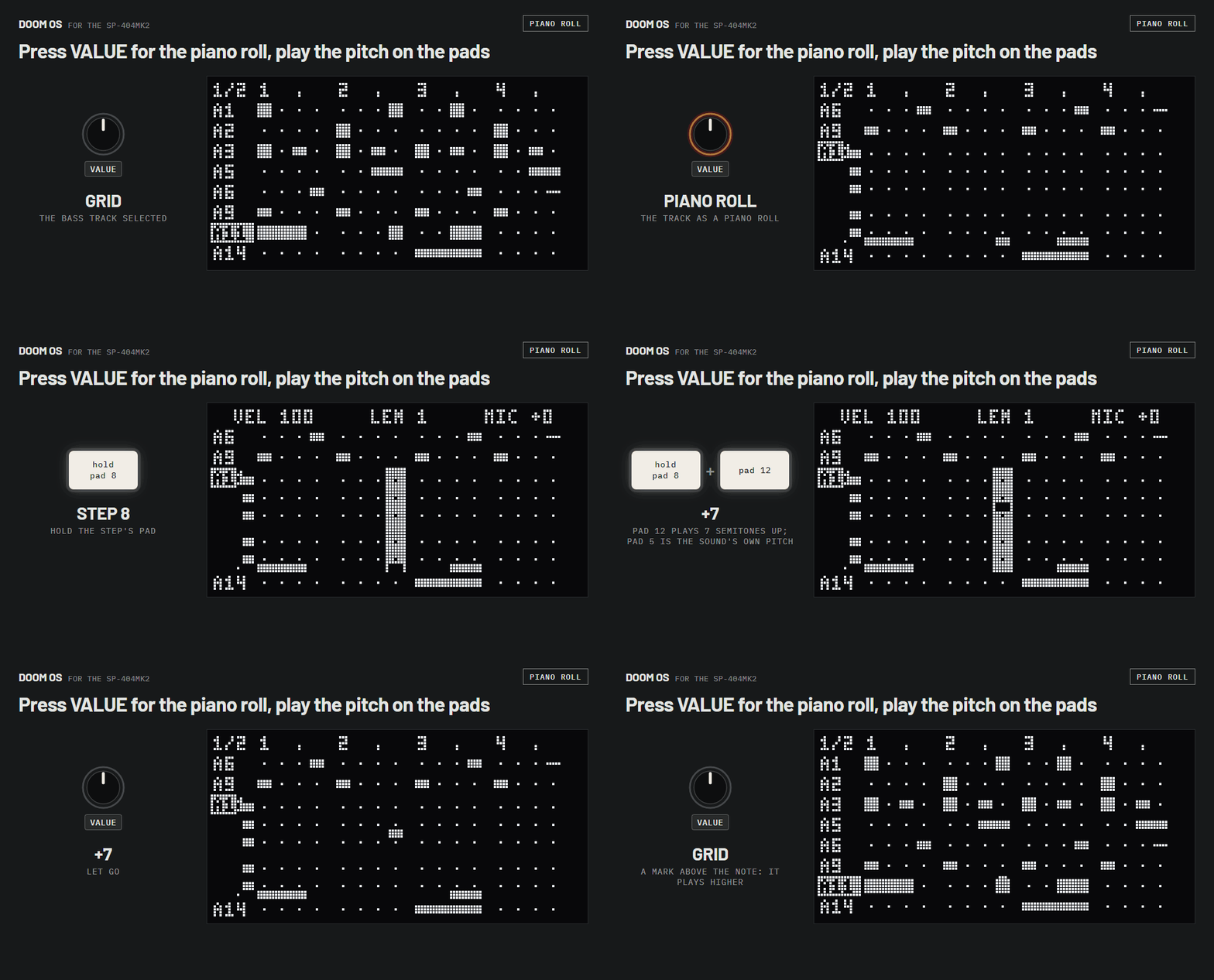
Press VALUE to open the selected track as a piano roll. Hold a step's pad and press another pad as a key: pad 5 is the sound's own pitch, pads 1 to 4 go down, pads 6 to 16 go up. Press VALUE again to close it.
Recording
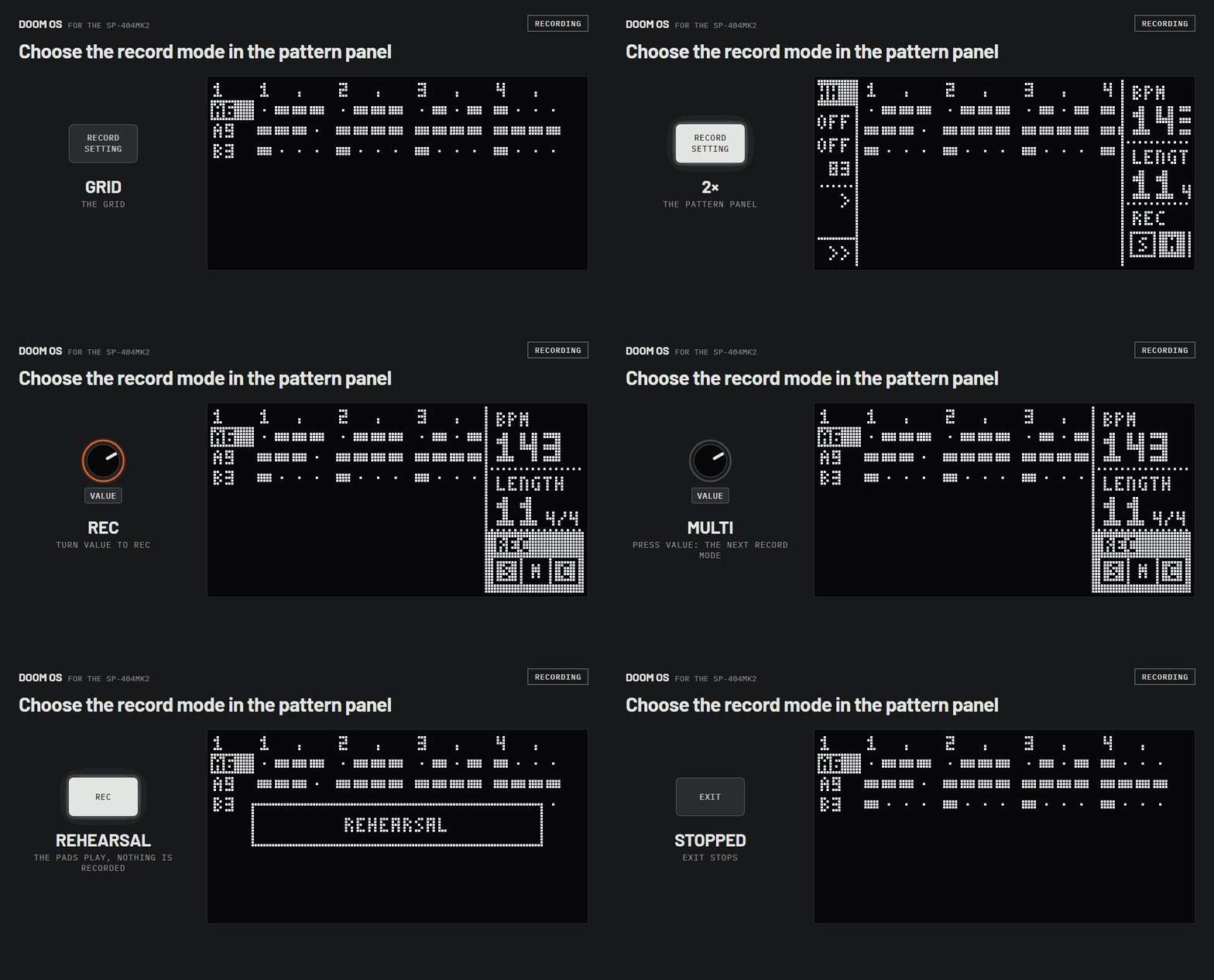
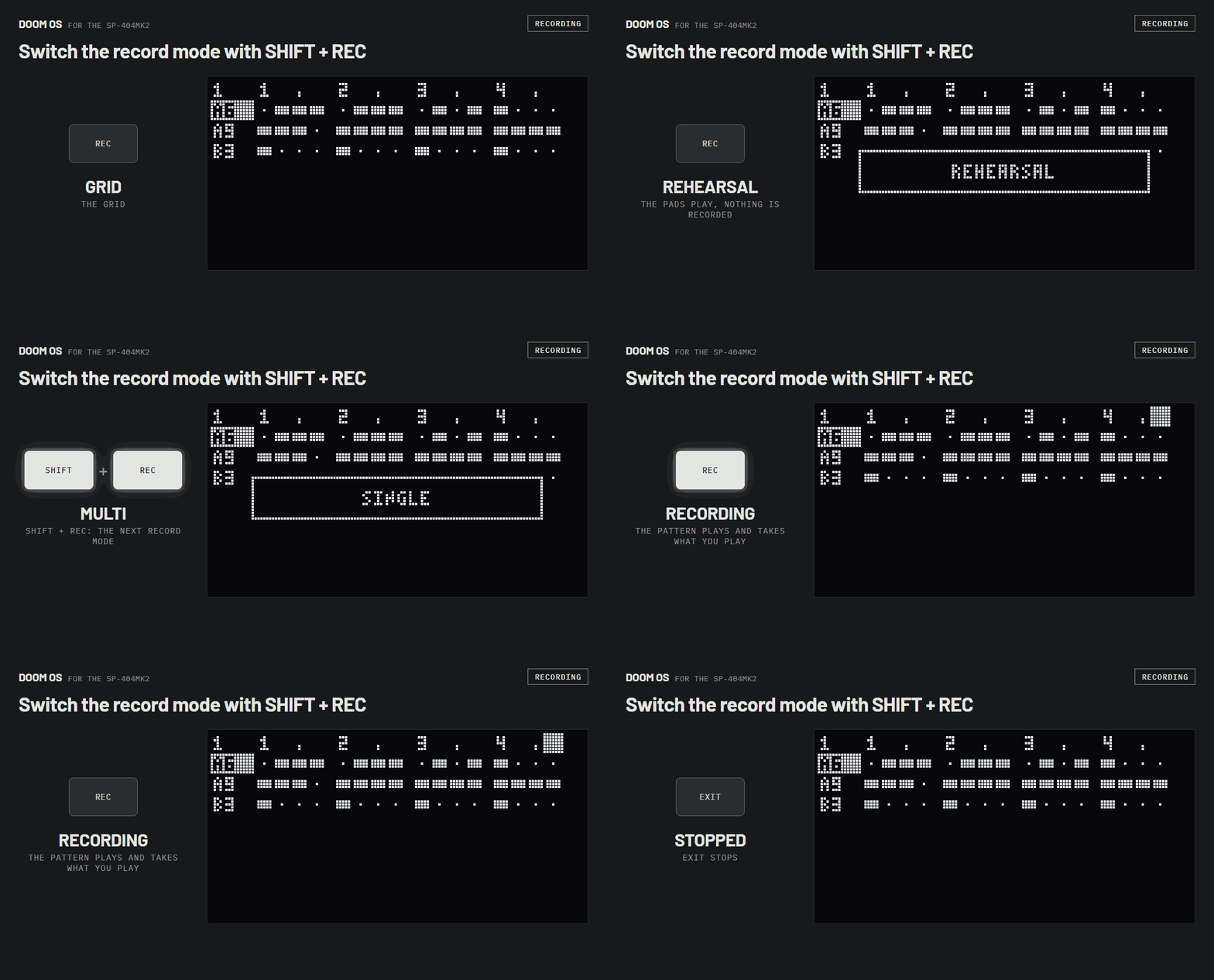
REC once rehearses: the pads play and nothing is recorded. REC again records, and EXIT stops. HOLD turns the pads into normal pads to play along. The record mode, SINGLE, MULTI or CHROMATIC, is in the pattern panel and on a shortcut. SHIFT+pad 9 sets the metronome: ON clicks while you rehearse and record, RECPLAY whenever the pattern plays, OFF.
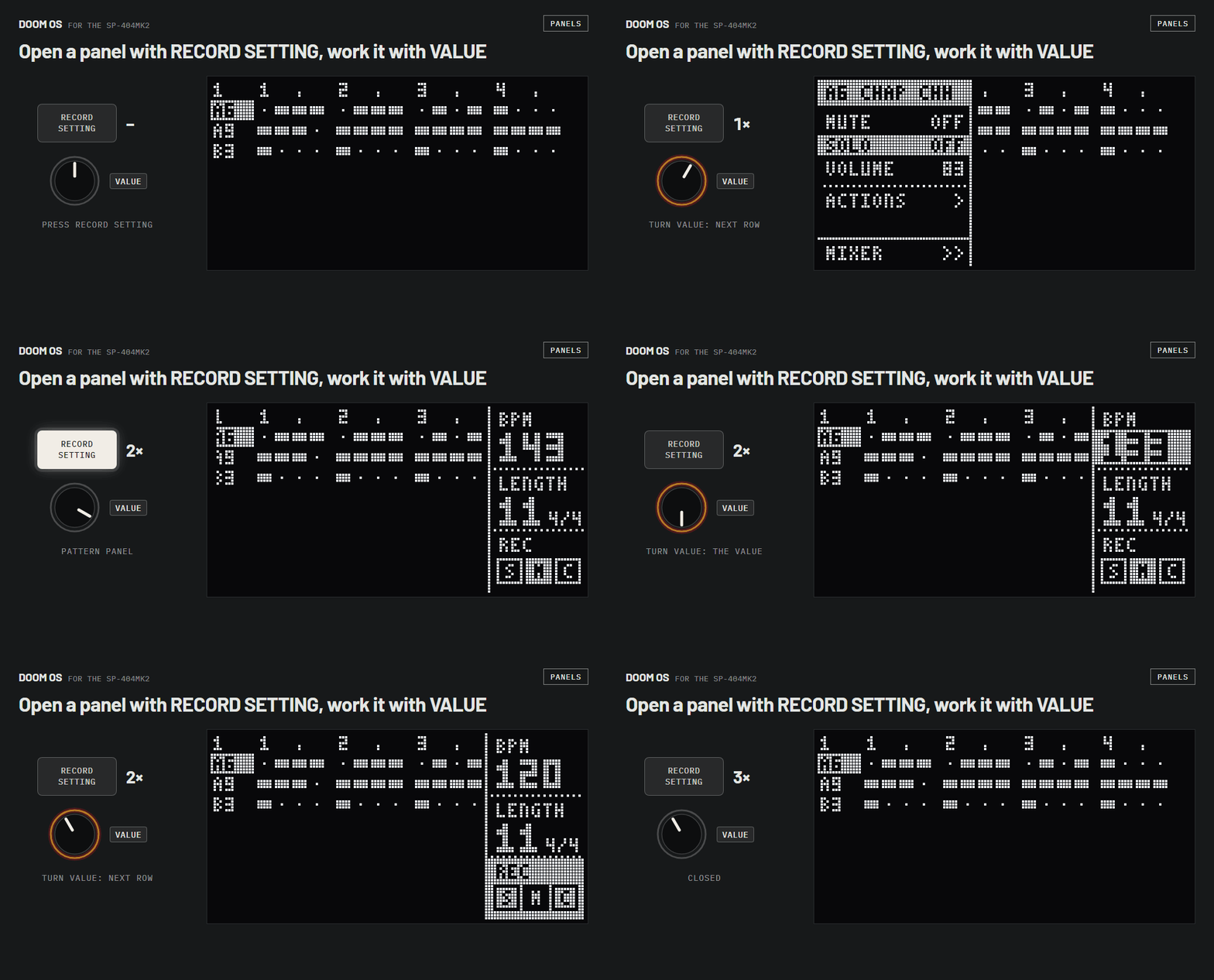
RECORD SETTING twice, turn VALUE to REC, press VALUE.
SHIFT+REC while rehearsing or recording.
Pattern tools
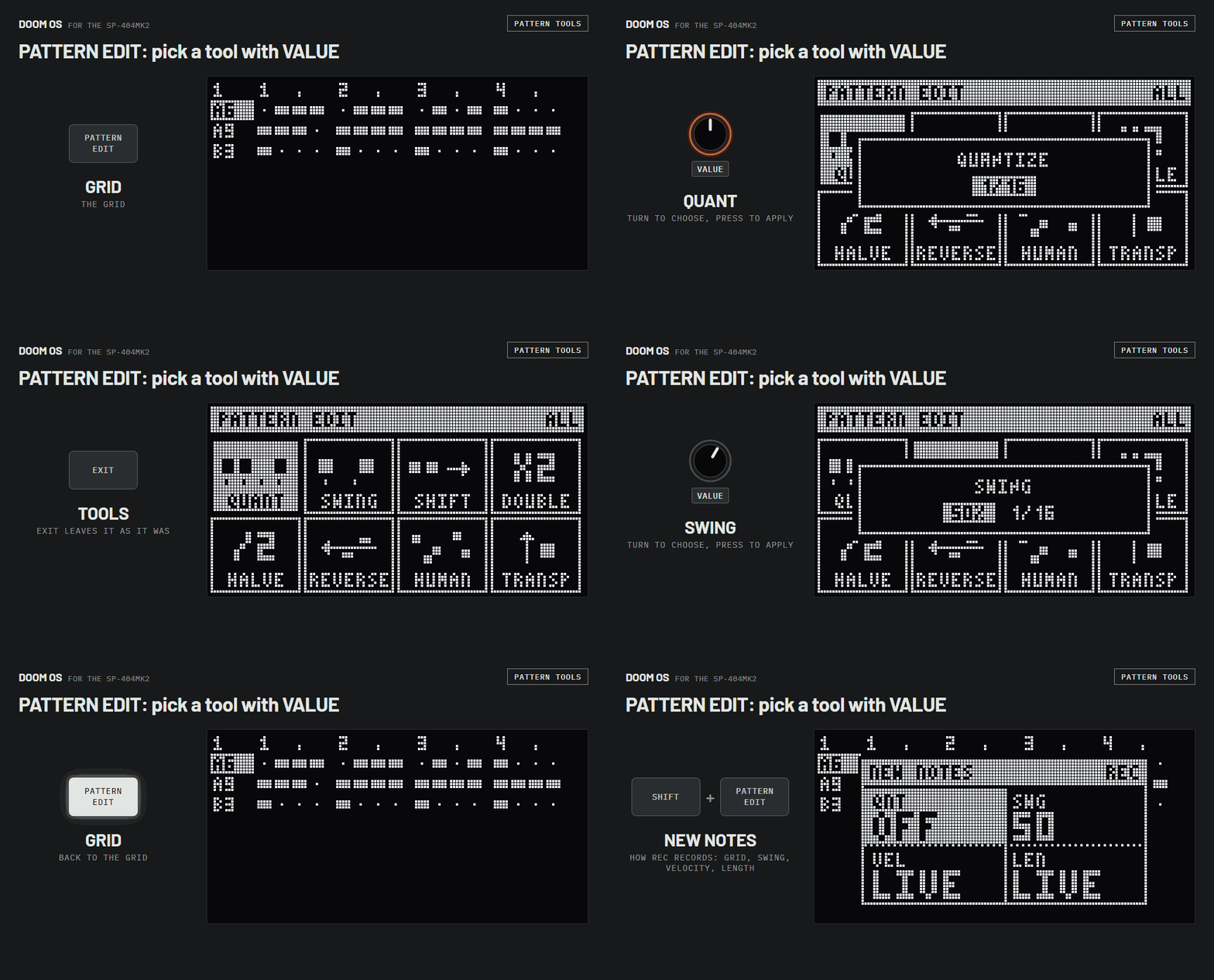
PATTERN EDIT shows eight tools. Turn VALUE to pick one and press it to open it, then turn to choose and press to apply; EXIT leaves it as it was. Tap a track's pad first to work on that track only. SHIFT+PATTERN EDIT opens the settings for new notes.
Mixer
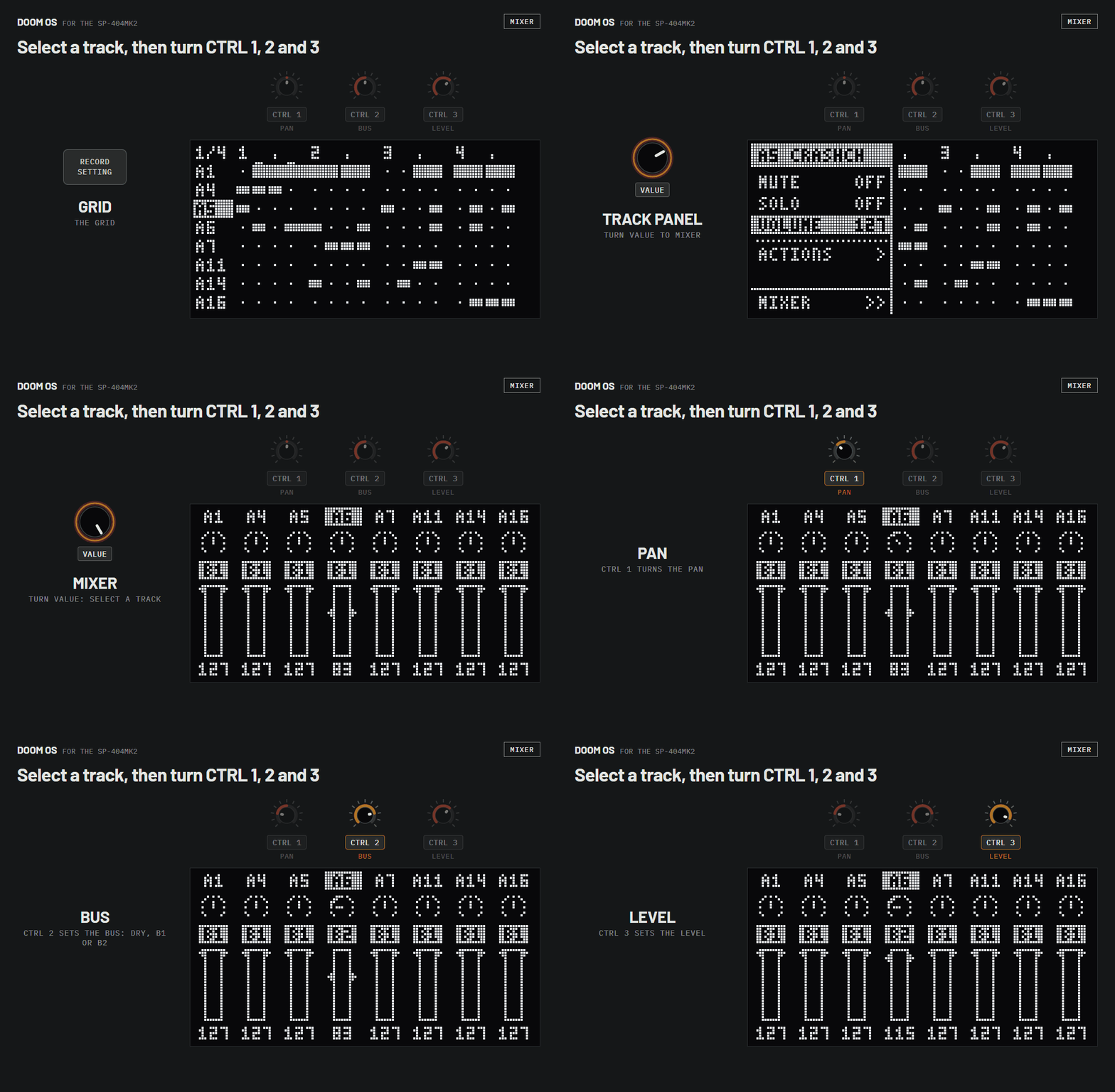
In the track panel, turn VALUE to MIXER and press it. Turn VALUE to select a track.
CTRL 1 pan, CTRL 2 bus, CTRL 3 level.
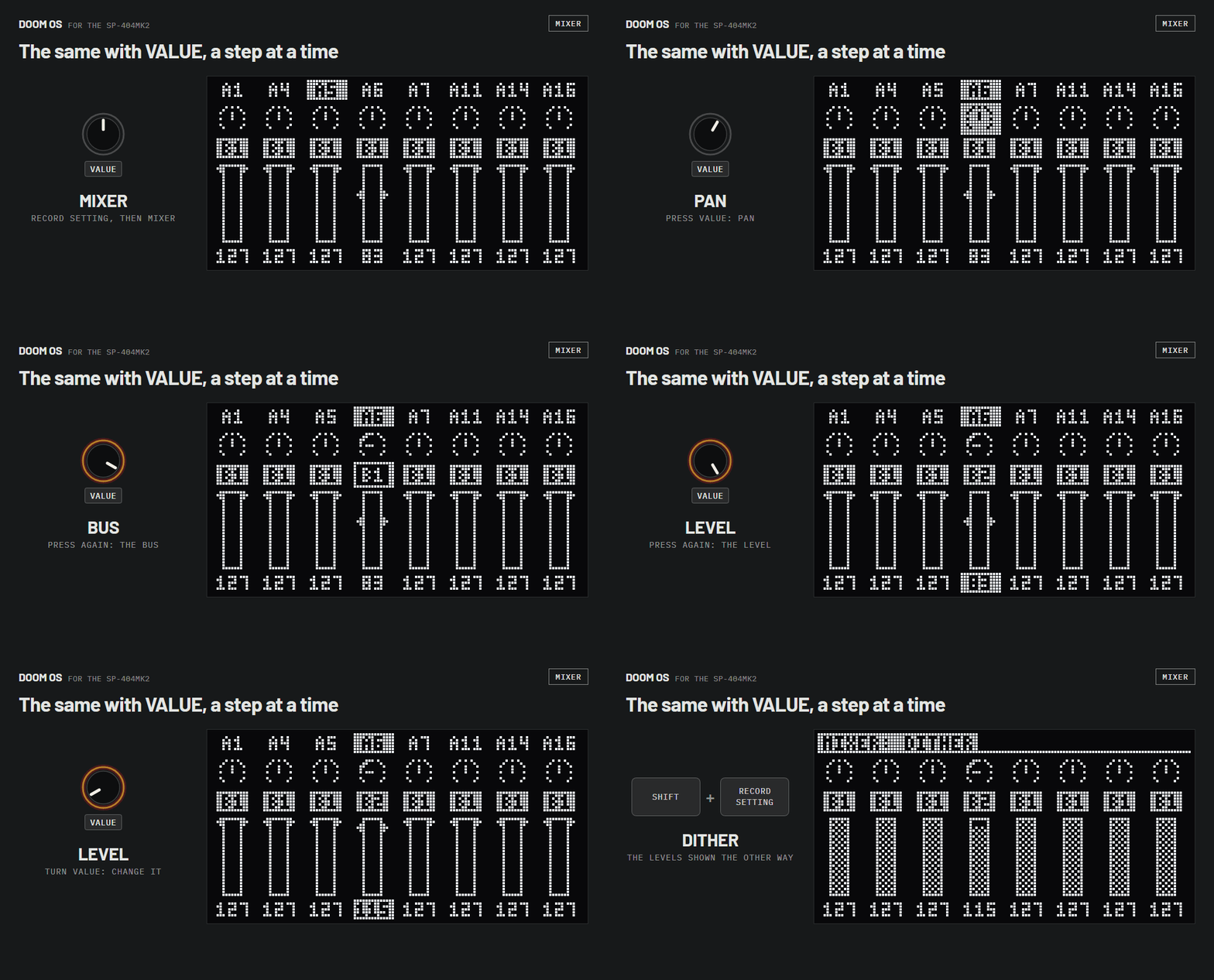
Press VALUE for pan, bus or level, and turn it a step at a time.
Automation
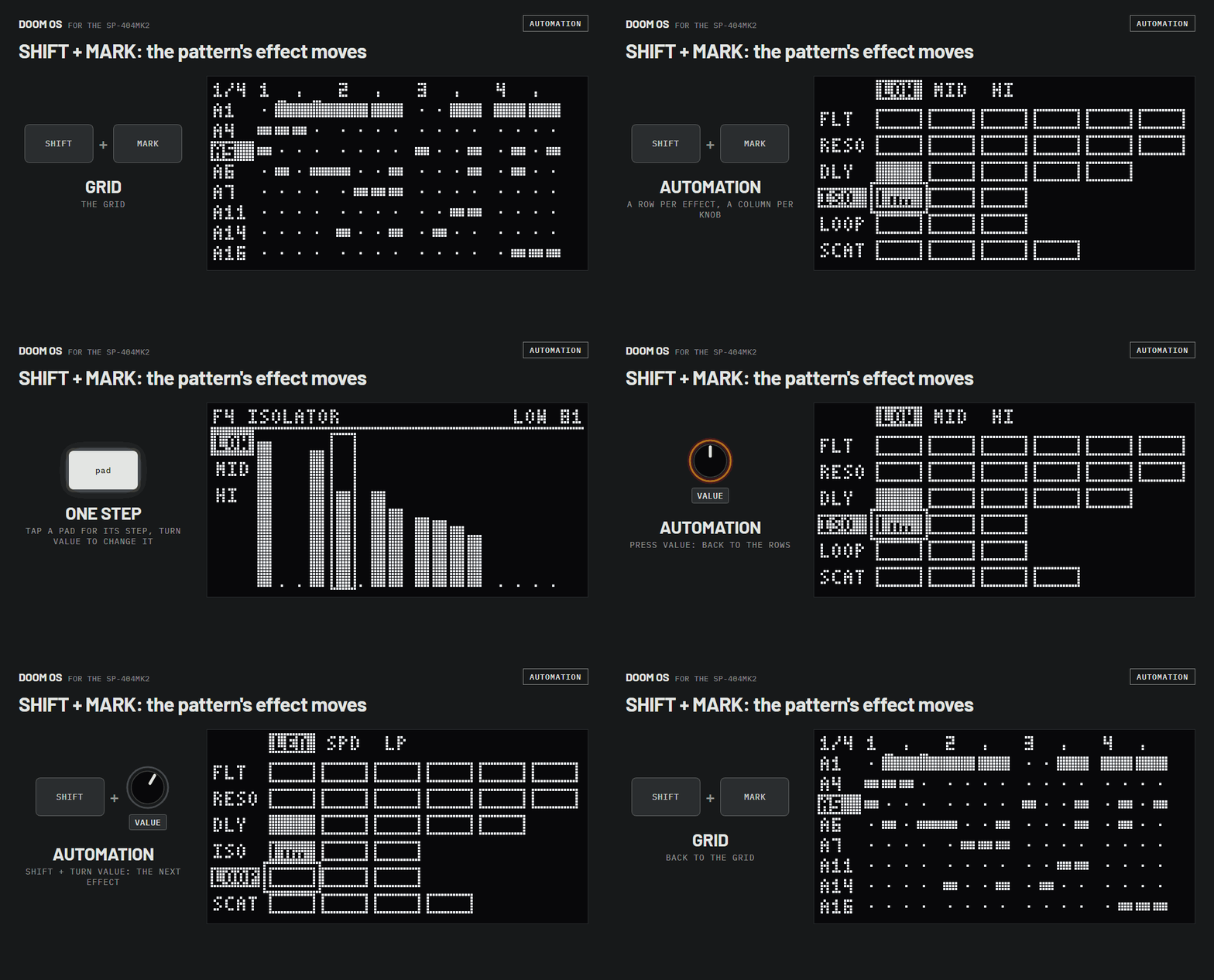
SHIFT+MARK shows the pattern's effect moves: a row for each effect, a column for each knob. Press VALUE to see one knob across the bar, tap a pad for a step and turn VALUE to change it. SHIFT+turn VALUE goes to the next effect.
Help
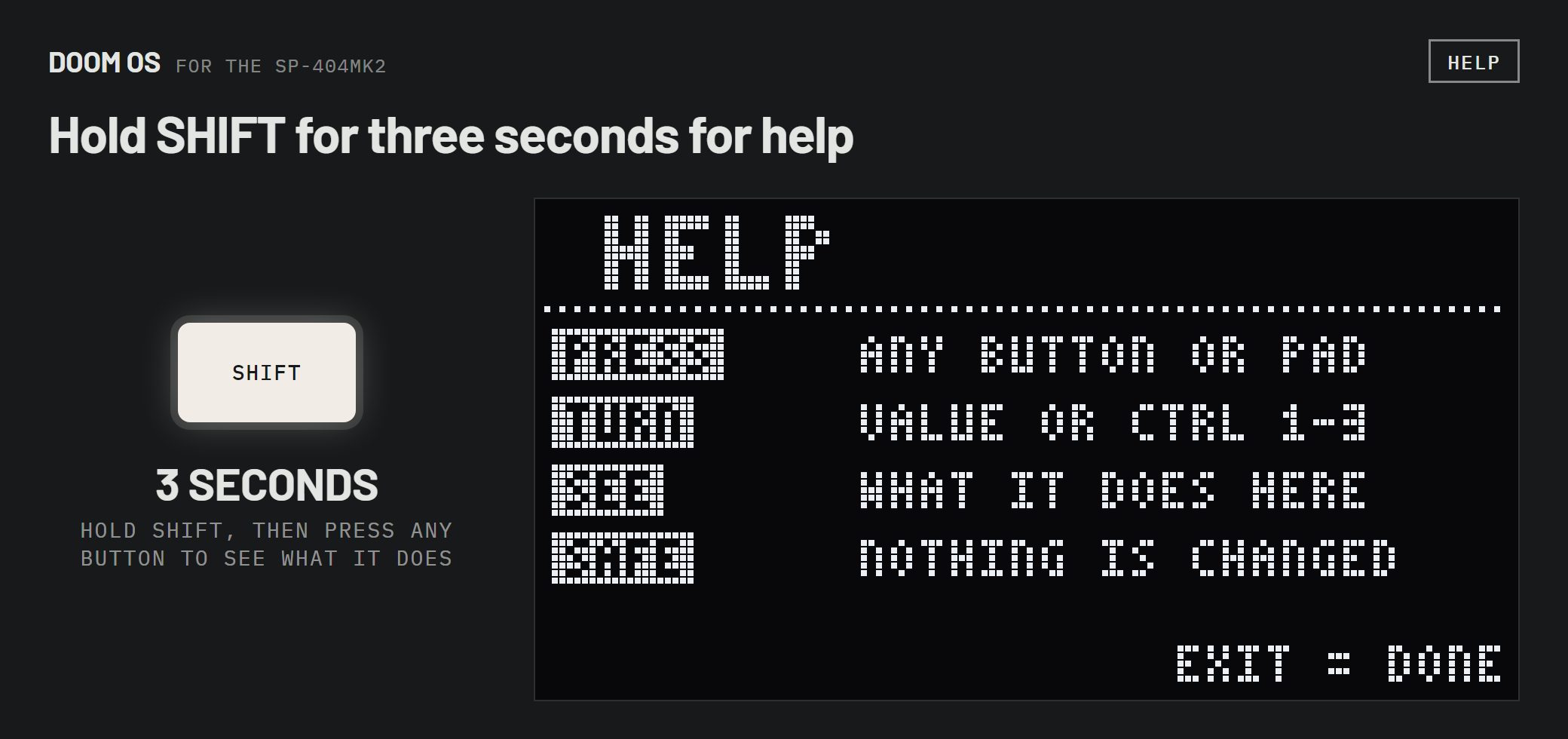
Hold SHIFT for three seconds. Then press any button, pad or knob to see what it does; nothing plays or changes. EXIT leaves help.
All controls
The full list. Most of it is also in the menus: press RECORD SETTING or PATTERN EDIT and turn VALUE. On the box, hold SHIFT for three seconds and press any button to see what it does.
Basics
| Open DOOM OS | hold REMAIN+SUB PAD |
|---|---|
| Close DOOM OS | EXIT |
| Save | nothing to press: saved when you open another pattern or press EXIT |
| Help mode: what does this button do? | hold SHIFT 3 seconds, then press anything |
| Undo | SHIFT+PATTERN SELECT |
| Redo | REMAIN+PATTERN SELECT |
| Play / stop | PATTERN SELECT |
| Open another pattern | hold PATTERN SELECT+pad |
| New pattern | hold PATTERN SELECT + an empty pad |
| Pattern from another bank | hold PATTERN SELECT+BANK |
| Tempo | SHIFT+pad 11, turn VALUE, press VALUE |
Tracks
A track is one pad in the pattern.
| Select a track | turn VALUE |
|---|---|
| Add a track / choose its sound | hold SUB PAD, tap pads, let go |
| Sounds from another bank | BANK, then hold SUB PAD |
| Same velocity for every note | CTRL 1 |
| Same length for every note | CTRL 2 |
| Same nudge for every note | CTRL 3 |
| Mute / unmute | SHIFT + press VALUE |
| Solo / solo off | SHIFT+ROLL — ROLL blinks while a track plays solo |
| Solo | RECORD SETTING › SOLO |
| Track volume | RECORD SETTING › VOLUME |
| Copy the track | COPY |
| Paste onto the track | RECORD SETTING › ACTIONS › PASTE |
| Swap the sound, keep the notes | RECORD SETTING › ACTIONS › SWAP PAD |
| Clear all notes | RECORD SETTING › ACTIONS › CLEAR... |
| Delete the track | DEL |
Notes
The 16 pads are the 16 steps of the selected track.
| Step on / off | tap pad |
|---|---|
| Select a note | hold its pad |
| Keep it selected | hold pad+REMAIN (again to let go) |
| Velocity | hold pad+CTRL 1 |
| Length | hold pad+CTRL 2 |
| Nudge | hold pad+CTRL 3 |
| Pitch | hold pad+SHIFT+CTRL 1 |
| Pitch, one semitone at a time | hold pad + turn VALUE |
Bars and views
| Next / previous bar | SHIFT + turn VALUE |
|---|---|
| Pattern length in bars | RECORD SETTING twice › LENGTH. Shorter with notes past the new end, it asks CROP TO 2 BARS first: YES cuts them off, NO keeps the pattern |
| Time signature of a new pattern | on the box's own RECORD SETTING, before you record: SHIFT+CTRL 2 TIME SIGN. DOOM OS shows it behind LENGTH. A pattern in 5/4, 6/4 or 7/4 shows the first sixteen steps of each bar and is not edited: 7/4: VIEW ONLY |
| Follow the playhead, or stay on your bar | SHIFT+HOLD |
| Grid lines / zoomed view | SHIFT+RECORD SETTING |
| Zoom in / out (zoomed view) | REMAIN + turn VALUE |
| Next / previous beat (zoomed view) | SHIFT + turn VALUE |
Piano roll
| Open / close | press VALUE |
|---|---|
| Scroll up / down | turn VALUE |
| Give a step a pitch | hold its pad + press a pad as a key (pad 5 = own pitch) |
| Other track | SHIFT + turn VALUE |
Recording
| Rehearse (pads play, nothing recorded) | REC |
|---|---|
| Record | REC again |
| Stop recording | EXIT |
| Record mode: single / multi / chromatic | SHIFT+REC |
| Quantise, swing, velocity, length of new notes | SHIFT+PATTERN EDIT |
| Pads play samples instead of steps | HOLD |
| Fixed velocity on / off | SHIFT+pad 1 |
| Metronome: on / recplay / off | SHIFT+pad 9 |
| Inputs on / off: line in, mic, USB audio | EXT SOURCE |
| Record knob moves | effect page open, REC twice, turn CTRL knobs |
Pattern tools
PATTERN EDIT, turn VALUE to a tool, press VALUE.
| Quantise | PATTERN EDIT › QUANT |
|---|---|
| Swing | PATTERN EDIT › SWING |
| Swing on eighths instead of sixteenths | in SWING: SHIFT + turn VALUE |
| Move all notes by whole steps | PATTERN EDIT › SHIFT |
| Double the pattern | PATTERN EDIT › DOUBLE |
| Halve the pattern | PATTERN EDIT › HALVE |
| Reverse | PATTERN EDIT › REVERSE |
| Humanise | PATTERN EDIT › HUMAN |
| Transpose | PATTERN EDIT › TRANSP |
| Tools on one track only | PATTERN EDIT, tap the track's pad |
Mixer
RECORD SETTING › MIXER
| Select a track | turn VALUE |
|---|---|
| Pan | CTRL 1 |
| Bus: B1, B2 or DRY | CTRL 2 |
| Level | CTRL 3 |
| Mute / unmute | SHIFT + press VALUE |
| Solo / solo off | SHIFT+ROLL |
| Level as arrows / dithered | SHIFT+RECORD SETTING |
| Back to the grid | EXIT |
Effects
| Effect on / off | its FX button (FILTER+DRIVE ... MFX) |
|---|---|
| Effect parameters | CTRL 1 CTRL 2 CTRL 3 (effect page open) |
| Second page of parameters | hold VALUE |
| Close the effect page | EXIT |
| Choose the MFX effect | hold MFX+pad |
| MFX effects 17 to 32 | hold MFX+DJFX LOOPER+pad |
| MFX effects 33 to 48 | hold MFX+ISOLATOR+pad |
| Other bus | BUS FX |
| Record knob moves | effect page open, REC twice, turn CTRL knobs |
Automation
| Automation screen on / off | SHIFT+MARK |
|---|---|
| Next parameter | turn VALUE |
| Next effect | SHIFT + turn VALUE |
| Edit a parameter step by step | press VALUE |
| A step's value | hold pad + turn VALUE |
| Remove a step's move | DEL+pad |
| Remove all moves of a parameter | DEL + press VALUE |
| Copy / paste a parameter | COPY + press VALUE |
| Moves play on / off | START/END |
| Next / previous bar | REMAIN + turn VALUE |
Settings
| DOOM OS settings | SHIFT+pad 13 › SYSTEM › DOOM OS tab |
|---|---|
| Your own shortcuts | SHIFT+pad 13 › SYSTEM › SHORTCUT tab |
| Utility menu | REMAIN+PATTERN EDIT |
| The box's pattern screen | REMAIN+RECORD SETTING |